---
title: How to allow shoppers to return or exchange multiple items at once?
description: How to allow shoppers to return or exchange multiple items at once?
---
[Skip to content](https://help.saara.io/kb/how-to-allow-shoppers-to-return-or-exchange-multiple-items-at-once#main-content)
[More support](https://help.saara.io/kb/kb-tickets/new?hsLang=en) [Customer portal](https://help.saara.io/tickets-view?hsLang=en)
[.png?width=250&height=100&name=Saara-Logo%20(250x100).png)](https://saara.io/?hsLang=en)
- Products
Show submenu for Products
- [EcoReturns](https://hs.saara.io/ecoreturns)
- [EcoShip](https://hs.saara.io/ecoship)
- [FlyOS](https://hs.saara.io/ai-agents-for-ecommerce)
- Resources
Show submenu for Resources
- [Knowledge base](https://saara.io/saara-knowledge-base?hsLang=en-us)
- [Support](https://saara.io/ecoreturns-support?hsLang=en-us)
Open main navigation
Close main navigation
- Products
Show submenu for Products
- [EcoReturns](https://hs.saara.io/ecoreturns)
- [EcoShip](https://hs.saara.io/ecoship)
- [FlyOS](https://hs.saara.io/ai-agents-for-ecommerce)
- Resources
Show submenu for Resources
- [Knowledge base](https://saara.io/saara-knowledge-base?hsLang=en-us)
- [Support](https://saara.io/ecoreturns-support?hsLang=en-us)
- [More support](https://help.saara.io/kb/kb-tickets/new)
- [Customer portal](https://help.saara.io/tickets-view)
- [Raise a Ticket](https://44348979.hs-sites.com/ecoreturns-support)
[Raise a Ticket](https://44348979.hs-sites.com/ecoreturns-support?hsLang=en)
How can we help you?
- There are no suggestions because the search field is empty.
1. [Saara-knowledge-base](https://help.saara.io/kb?hsLang=en)
2. [EcoReturns](https://help.saara.io/kb/ecoreturns?hsLang=en)
3. [Settings](https://help.saara.io/kb/ecoreturns?hsLang=en#settings)
# How to allow shoppers to return or exchange multiple items at once?
### **Introduction**
EcoReturns by default provides you with a return portal that allows shoppers to return or exchange only 1 item (Quantity can be multiple) at once. In case you're using Shopify, this return portal also provides you an embedded experience with the branding of your store.
In case you want your shoppers to return and exchange multiple items of an order in one go, you can enable it from your **Return Portal** settings
### **Steps to follow**
To enable multiple item return and exchange follow the below steps.
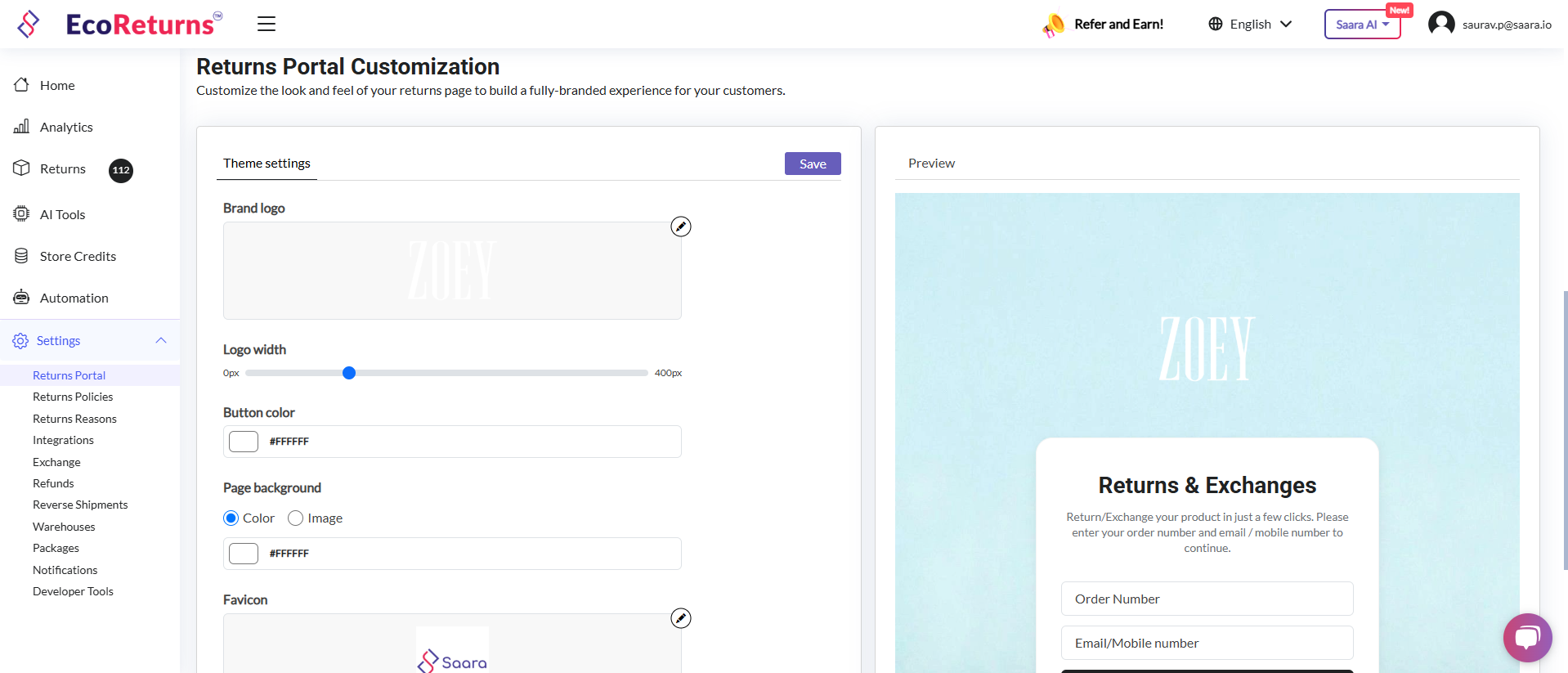
1. Go to **Return Portal** under **Settings.**

2. You will find an option to **'Allow customers to return multiple items at once'.** Toggle the button to enable the multiple item return or exchange workflow.

3. Once you have turned it on, you will find that the **New Return Portal URL** is generated.

4. Now change the Return Portal URL in your website footer, return policy and other places to the new URL which is generated.
5. You can also customize the new return portal as per your branding. Please reach out to us if you face any issue during the entire process.
- [EcoReturns](https://help.saara.io/kb/ecoreturns?hsLang=en#main-content)
- [Getting Started](https://help.saara.io/kb/ecoreturns?hsLang=en#getting-started)
- [Settings](https://help.saara.io/kb/ecoreturns?hsLang=en#settings)
- [Integrations](https://help.saara.io/kb/ecoreturns?hsLang=en#integrations)
- [Automations](https://help.saara.io/kb/ecoreturns?hsLang=en#automations)
- [FAQs](https://help.saara.io/kb/ecoreturns?hsLang=en#faqs)
- [AI Agents](https://help.saara.io/kb/ai-agents?hsLang=en#main-content)
- [Getting Started](https://help.saara.io/kb/ai-agents?hsLang=en#getting-started)
- [FAQs](https://help.saara.io/kb/ai-agents?hsLang=en#faqs)
- [Integrations](https://help.saara.io/kb/ai-agents?hsLang=en#integrations)
- [EcoShip](https://help.saara.io/kb/ecoship?hsLang=en#main-content)
- [Getting Started](https://help.saara.io/kb/ecoship?hsLang=en#getting-started)
- [FAQs](https://help.saara.io/kb/faqs?hsLang=en#main-content)
- [Managing Coupon Codes](https://help.saara.io/kb/faqs?hsLang=en#managing-coupon-codes)
- [Return Policy](https://help.saara.io/kb/faqs?hsLang=en#return-policy)
- [Settings](https://help.saara.io/kb/settings?hsLang=en#main-content)
- [Account Settings](https://help.saara.io/kb/settings?hsLang=en#account-settings)
- Products
- [EcoReturns](https://hs.saara.io/ecoreturns)
- [EcoShip](https://hs.saara.io/ecoship)
- [FlyOS](https://hs.saara.io/ai-agents-for-ecommerce)
- Resources
- [Knowledge base](https://saara.io/saara-knowledge-base?hsLang=en-us)
- [Support](https://saara.io/ecoreturns-support?hsLang=en-us)
[.png?width=250&height=100&name=Saara-Logo%20(250x100).png "Saara-Logo (250x100)")](https://saara.io?hsLang=en)
[mailto:care@saara.io](mailto:care@saara.io)
Copyright © 2026, Saara Inc